Is DLSS a Competitive Disadvantage in Hell Let Loose: Vietnam? Foliage Clarity and Long-Range Spotting Analyzed
Does enabling DLSS hinder long-range target acquisition in Hell Let Loose: Vietnam? We examine foliage clarity, upscaling artifacts, and competitive display settings.
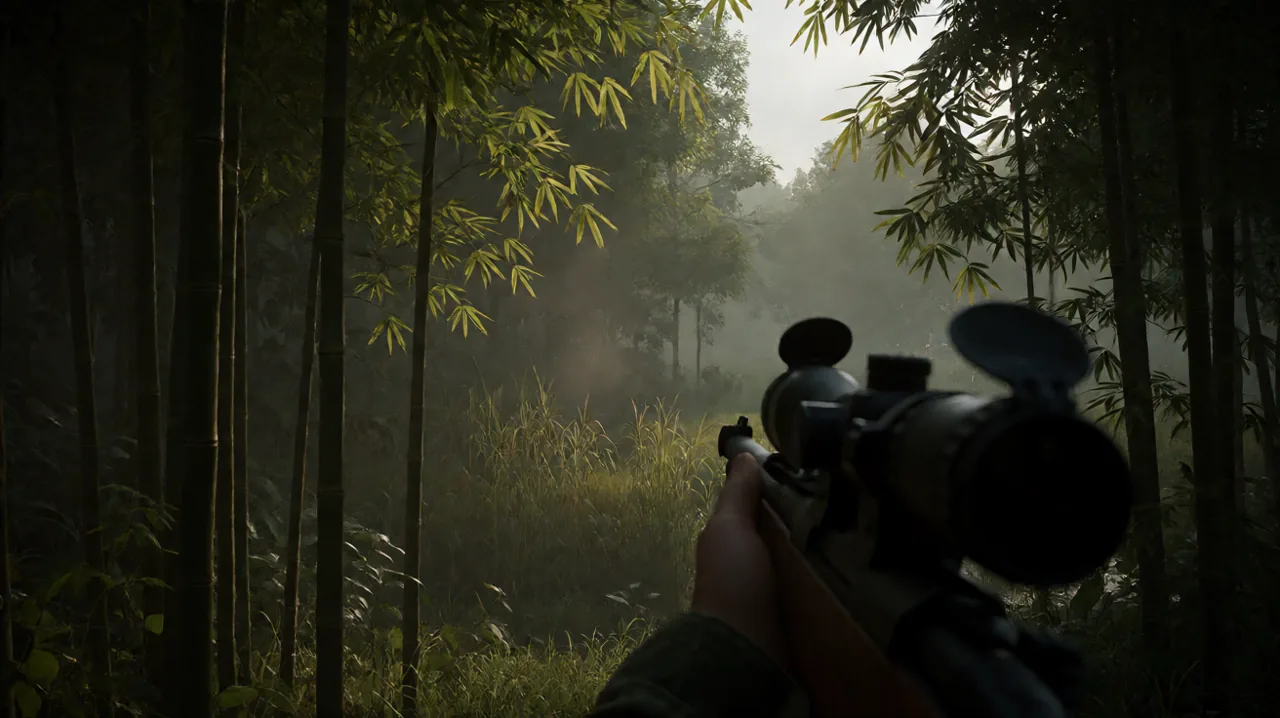
In a tactical shooter where spotting an enemy soldier 200 meters away determines whether your squad survives a patrol or gets wiped out by a single machine gunner, visual clarity is not just an aesthetic preference—it is your most critical combat tool. With Expression Games building Hell Let Loose: Vietnam on Unreal Engine 5, players are confronting some of the densest foliage, dynamic shadows, and intricate jungle canopies ever rendered in large-scale tactical gaming.
However, achieving smooth performance amid Nanite foliage and high-fidelity river deltas has pushed many players to rely on temporal upscalers like NVIDIA DLSS. Following recent discussions across the player base, a sharp debate has emerged: does turning on DLSS put you at a tangible competitive disadvantage when trying to spot camouflaged enemies through thick brush?
Understanding how temporal upscaling interacts with micro-movements, distance rendering, and jungle camouflage reveals whether those extra frames per second are truly worth the loss in raw pixel precision.
The Mechanics of Downscaling: How Upscaling Treats Distant Foliage
To understand the concern, you have to look at what DLSS actually does under the hood. When running DLSS in Quality mode on a 1440p display, your GPU renders the internal game scene at approximately 1080p (around 1708x960 to 1920x1080), using deep learning temporal reconstruction and motion vectors to output a 2560x1440 frame. At 4K, DLSS Quality renders internally at 1440p before reconstructing upward.
In wide-open environments—such as the rolling fields of the Western Front in the original World War II title—targets at 200 meters generally contrast against relatively clean terrain lines. In the jungles of the Ia Drang Valley or the hills surrounding Khe Sanh, targets rarely expose their full silhouette. An entrenched North Vietnamese Army (NVA) rifleman or a crouching Viet Cong guerrilla in elephant grass might only present two or three visible pixels of a helmet or rifle barrel through shifting bamboo stalks.
When the internal rendering resolution drops, those crucial clusters of pixels are initially sampled at a lower native density. While the AI model excels at reconstructing smooth edges on structural geometry, vehicles, and weapons, tiny distant movements across organic foliage present a unique challenge:
- Temporal Softening: DLSS relies on accumulating information across multiple preceding frames. When foliage leaves sway in the wind and an enemy soldier shifts a fraction of a meter behind them, the temporal accumulation algorithm can treat the subtle pixel variance as sub-pixel jitter, smoothing or slightly blurring the transition.
- Foliage Ghosting: Moving leaves can temporarily smear over stationary dark pixels, masking a prone sniper who would otherwise appear as a distinct, hard-edged dot on native resolution.
- Micro-Detail Reconstruction Limits: An AI model cannot invent data that was entirely missed during the lower-resolution rasterization stage. If an enemy helmet only occupies a single sub-pixel during internal rendering, the reconstruction pass may blend it into the surrounding bark or leaves.
While developers have rolled out modern integration improvements, including the recent Patch 1.4 update and ongoing dev foliage and spawn adjustments, the fundamental physics of spatial sampling remain unchanged.
Pixel Hunting and Eye Strain: The Biological Cost of Combat Spotting
The debate over DLSS is not purely theoretical; it directly impacts how players physically interact with the game. Community members frequently report intense visual fatigue after prolonged sessions. When enemies blend seamlessly into multi-layered greenery, players find themselves leaning inches away from their monitors, squinting to identify minuscule changes in screen contrast.
In native rendering with high-quality anti-aliasing, edge transitions are sharp and consistent. Even if an enemy is camouflaged, any movement breaks geometric cohesion in a predictable manner, allowing your peripheral vision and brain to register the anomaly instantly.
When an upscaler introduces even minimal temporal softness or micro-flicker on distant foliage edges, the human eye is forced to constantly refocus, attempting to parse whether an artifact is a rendering artifact, blowing vegetation, or an aiming enemy. Over an hour-long skirmish, this constant micro-strain degrades reaction times and situational awareness, amplifying the psychological exhaustion of patrolling hostile jungle terrain.
DLSS vs. Native vs. DLAA: Choosing Your Display Strategy
There is no one-size-fits-all answer to whether DLSS should stay on or off. The optimal setting depends heavily on your monitor’s native resolution, your hardware headroom, and your squad role.
| Rendering Mode | Internal Render Basis | Spotting Clarity (150m+) | Motion Stability in Bush | Frame Rate Impact | Ideal Player Roles |
|---|---|---|---|---|---|
| Native + DLAA | 100% Native Resolution | Exceptional (Sharpest edges, zero temporal softening) | Rock-solid leaf stability | High GPU load (-0% gain) | Snipers, Spotters, Machine Gunners, Tank Gunners |
| DLSS Quality | ~67% Native Resolution | Good at 4K, Noticeable loss at 1080p/1440p | Minor softness on swaying leaves | Significant frame boost (+25% to +45%) | Pointmen, Assault, Helicopter Pilots, Medics |
| DLSS Balanced / Performance | 50% - 58% Native | Compromised (High artifacting in dense bush) | Noticeable smearing and ghosting | Massive frame boost (+50%+) | Low-end GPUs prioritizing playable FPS over range |
| DLDSR + DLAA | >100% (Downscaled) | Elite (Highest pixel density possible) | Absolute clarity, zero shimmer | Severe GPU load (Demands top-tier GPUs) | Competitive Marksmen seeking maximum visual advantage |
When to Disable DLSS (Run Native or DLAA)
If you play on a 1440p or 4K monitor and your graphics card can sustain stable frame rates above your monitor’s refresh target without scaling, switching from DLSS Quality to native rendering with DLAA (Deep Learning Anti-Aliasing) is undeniably superior for long-range engagements.
DLAA runs the neural network at native resolution without downscaling, eliminating jagged edges and shimmering foliage without sacrificing pixel density. If you specialize in reconnaissance, rifleman skirmishing, or long-range machine gun suppression, DLAA ensures that every distant leaf and silhouette maintains maximum geometric integrity. You can review earlier setup steps in our essential DLSS tweaks from the beta or reference the missing DLSS setting troubleshooting if your configuration options are not appearing properly.
When to Keep DLSS Enabled
Conversely, if running natively causes your frame rate to dip below 60–70 FPS during intense artillery strikes or smoke-heavy assaults, disabling DLSS will hurt your combat effectiveness far more than any subtle upscaling blur. Low or stuttering frame rates dramatically increase input latency and disrupt your tracking aim during close-quarters jungle ambushes.
For roles operating primarily within 50 meters—such as pointmen carrying shotguns or submachine guns, flamethrower operators clearing bunkers, and Huey transport pilots navigating turbulent landing zones—fluid motion and responsive controls far outweigh the ability to spot a prone helmet at 250 meters.
Dialing In Your Competitive Visual Settings
If you must run DLSS for performance reasons, specific adjustments can mitigate its impact on foliage target spotting:
- Tune the Sharpness Slider Deliberately: Avoid cranking DLSS sharpening to 100%. Excessive sharpening creates white halos around bamboo leaves and tree bark, producing artificial visual noise that camouflages enemy soldiers even further. A sharpness setting between 25% and 40% typically recovers edge definition without introducing halo artifacts.
- Turn Off Motion Blur and Depth of Field: These cinematic settings compound temporal upscaling softness. Disabling both ensures that rapid mouse sweeps do not blur adjacent tree lines.
- Calibrate Shadow Quality to Medium or High: Dropping shadows to low often removes ambient occlusion contact shadows beneath bushes, turning dark undergrowth into flat textures where prone enemies can easily disappear into low-contrast visual mud.
- Optimize Field of View (FOV): Playing at an ultra-wide FOV (such as 110 or 120) drastically reduces the screen area occupied by distant enemies, halving their pixel representation. Lowering your FOV to 90–95 increases the visual size of targets downrange, partially compensating for any resolution scaling loss.
- Pair Visuals with Sound Awareness: Spotting through dense undergrowth is rarely a visual-only task. Cross-referencing muzzle flashes with directional cues is essential, as detailed in our audio and performance clarity guide.
Clarifying Game Mode Confusion: Warfare vs. “Conquest”
As newer players arrive from mainstream military shooters, discussions around map flow and visual pacing often intersect with questions about game modes. Some players on console forums have recently questioned whether Hell Let Loose: Vietnam features or plans to introduce a traditional “Conquest” mode, citing rumors of decentralized capture points.
It is worth reiterating that Hell Let Loose: Vietnam does not feature an open-ended, ticket-bleeding Conquest mode akin to the Battlefield series. Instead, the game preserves the franchise’s signature frontline systems:
- Warfare: A tug-of-war across sequential sectors where teams fight over active frontline strongpoints.
- Offensive: An asymmetrical mode where an attacking faction must systematically breach and capture prepared defensive sectors against a fortified opponent.
The perception that the game feels like a decentralized free-for-all often stems from the massive tactical asymmetry introduced in this installment. With US forces deploying via rapid helicopter air assaults and NVA/Viet Cong units utilizing complex underground tunnel networks, engagements can erupt far behind traditional frontline boundaries. Understanding the difference between map mode structure and asymmetrical infiltration is key to effective map reading, which we explore thoroughly in our tactical positioning guide.
Finding the Sweet Spot for Jungle Warfare
Ultimately, DLSS is neither an outright cheat code nor an unplayable handicap in Hell Let Loose: Vietnam. At 1080p and 1440p, it does impose a subtle tax on your ability to spot distant, motionless targets concealed within dense foliage, primarily due to the loss of native sub-pixel detail. At 4K, that penalty diminishes significantly thanks to a much higher internal rendering baseline.
If your graphics card possesses the power to push native resolution with DLAA, take advantage of it to turn every jungle thicket into an unambiguous tactical picture. If you rely on DLSS for smooth performance, keep your quality profile locked to Quality mode, moderate your sharpness settings, and adjust your tactical engagement ranges accordingly. In the dense canopy of Vietnam, knowing the limits of your hardware’s vision is just as vital as knowing your weapon’s effective range.
Sources
- Reddit: Is DLSS a disadvantage in HLL v? — https://www.reddit.com/r/HellLetLooseVietnam/comments/1x2f7nl/is_dlss_a_disadvantage_in_hll_v/
- Reddit: Community Eye Strain and Pixel Spotting in Jungle Environments — https://www.reddit.com/r/HellLetLooseVietnam/comments/1x2kz5x/why_are_my_eyes_doing_this_i_gotta_stop_playing_ts/
- Reddit: Console Game Mode Discussions — https://www.reddit.com/r/HellLetLooseConsole/comments/1x355qy/will_the_conquest_mode_ever_come_to_hll_on_console/